Providing you have suitable access control permissions, you can upload an object to the LUSID Complex Market Data Store, for example a discount factor curve encapsulating the idea that money today is not worth the same as money in the future. See the different categories of complex market data.
Note: Choices you make when uploading market data impact the composition of the recipe you must create in order to use this data in a valuation.
Method 1: Using the LUSID API
Method 2: Using the LUSID web app (coming soon)
Method 3: Using Luminesce (coming soon)
Using the LUSID API
You can upload up to 2000 complex market data objects in a single request:
Call the UpsertComplexMarketData API, encapsulating all the objects in the request in a single
scope(namespace). See how to match this in a recipe.For each object in the request, specify:
An ephemeral ID, to track errors in the response (highlighted in green in the example below).
A market data ID, comprising:
A
providerrepresenting a financial data vendor. Valid providers are currentlyBloomberg,DataScope(for Refinitiv),SIX,FactSet,TraderMade,Edi,Rimes,LusidandClient; if your data vendor isn't listed, you can represent it usingLusid. See how to match this in a recipe.Optionally, a
priceSourceindicating a sub-supplier to the financial data vendor (above), for example Tradeweb or RRPS for Refinitiv DataScope. If specified, see how to match this in a recipe.An
effectiveAtdate from which the object is valid.A
marketAssetconstituting a name. Note each category of complex market data has a particular naming syntax, for example/OISfor a discount factor curve. See how to match this in a recipe.
A market data type defining the object and its behavior, for example
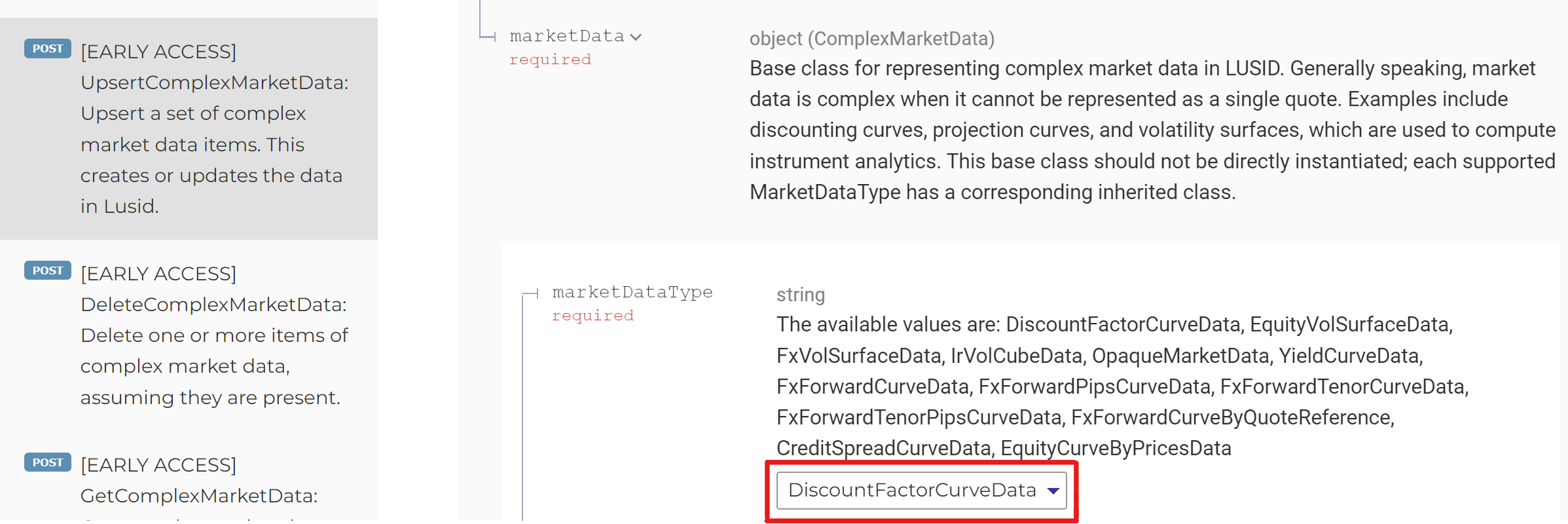
DiscountFactorCurveDatafor a discount factor curve. Each type has different fields; examine the API documentation (expand themarketDatasection) and select the appropriate option from the dropdown to see what these are. For information on specifying tenors for objects that require them, see this article.
Consider the following example, of a discount factor curve and a FX forward pips curve uploaded together to a Growth quote scope (highlighted in red in the URL below):
curl -X POST "https://.lusid.com/api/api/complexmarketdata/Growth"
-H "Authorization: Bearer "
-H "Content-Type: application/json-patch+json"
-d '{
  "ephemeral-id-1": {
    "marketDataId": {
      "provider": "Lusid",
      "effectiveAt": "2021-01-20T00:00:00.0000000+00:00",
      "marketAsset": "GBP/GBPOIS"
    },
    "marketData": {
      "marketDataType": "DiscountFactorCurveData",
      "baseDate": "2021-01-20T00:00:00.0000000+00:00",
      "dates": [
        "2021-02-19T00:00:00.0000000+00:00",
        "2021-03-21T00:00:00.0000000+00:00",
        "2021-04-20T00:00:00.0000000+00:00",
        "2021-07-19T00:00:00.0000000+00:00",
        "2022-01-20T00:00:00.0000000+00:00",
        "2022-07-21T00:00:00.0000000+00:00",
        "2023-01-20T00:00:00.0000000+00:00",
        "2024-01-20T00:00:00.0000000+00:00",
        "2025-01-19T00:00:00.0000000+00:00",
        "2026-01-19T00:00:00.0000000+00:00"
      ],
      "discountFactors": [
        0.9998,
        0.9994,
        0.9987,
        0.9953,
        0.9871,
        0.9778,
        0.9705,
        0.958,
        0.9467,
        0.9366
      ]
    }
  },
  "ephemeral-id-2": {
    "marketDataId": {
      "provider": "Lusid",
      "effectiveAt": "2021-01-20T00:00:00.0000000+00:00",
      "marketAsset": "EUR/USD/FxFwdCurve"
    },
    "marketData": {
      "marketDataType": "FxForwardTenorPipsCurveData",
      "baseDate": "2021-01-20T00:00:00.0000000+00:00",
      "domCcy": "EUR",
      "fgnCcy": "USD",
      "tenors": [
        "1D",
        "1W",
        "2W",
        "3W",
        "1M",
        "2M",
        "3M",
        "4M",
        "5M",
        "6M",
        "9M",
        "1Y",
        "15M",
        "18M",
        "2Y",
        "3Y"
      ],
      "pipRates": [
        0.6375,
        1.4975,
        3.0275,
        4.5625,
        6.7525,
        19.5125,
        27.3225,
        34.0625,
        41.5175,
        49.2025,
        74.8125,
        104.9125,
        141.1925,
        176.8375,
        260.1475,
        453.2625
      ]
    }
  }
}'